🧩 TRAY BOARD

LARGE SCREEN CONTROLS
The appearance of the controls you use to play Tray Board is not the same on all devices, so these snapshots show four key game states on larger screens such as desktops and tablets.
Before you place a piece:
Choose Picture | Reshuffle Tray | Play Full Screen
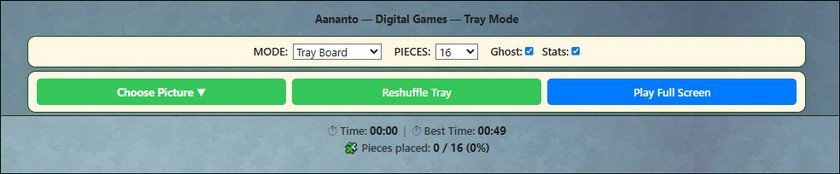
Use Choose Picture to select a different puzzle.
Use Reshuffle Tray to rearrange pieces held in the tray.
Use Play Full Screen for a more immersive view of the playboard.
Use Reshuffle Tray to rearrange pieces held in the tray.
Use Play Full Screen for a more immersive view of the playboard.
After your first correct placement:
Choose Picture | Save & Pause | Reshuffle Tray | Play Full Screen
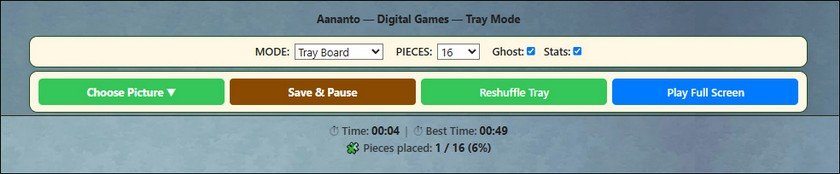
Use Save & Pause to save your current Tray Board game and stop the timer.
After saving:
Choose Picture | Resume Play | Game saved. | Reshuffle Tray | Play Full Screen
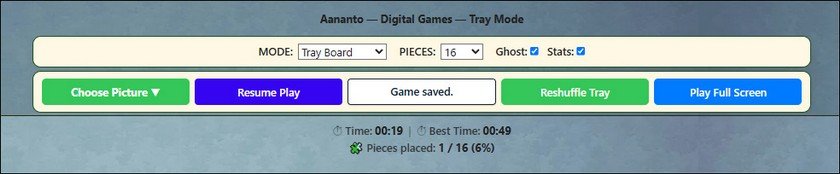
After Save & Pause has been pressed, the status of the game is displayed in the white status box.
Use Resume Play to continue a saved game.
After completing the puzzle:
Choose Picture | Restart Game | Puzzle completed. | Play Full Screen
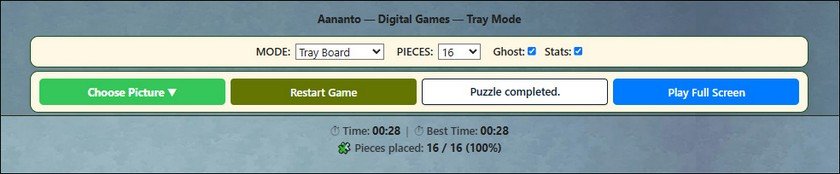
Use Restart Game to begin the same completed puzzle again from a fresh tray.